


13 Action News
3.2532.00 Reviews
App Specs
- Version
- Varies with Device
- Updated On
- License
- Free
- Downloads
- 100,000+
- Developer
- Gray Media
- Categories
- News & Magazines
- Platform
- Android
Screenshots
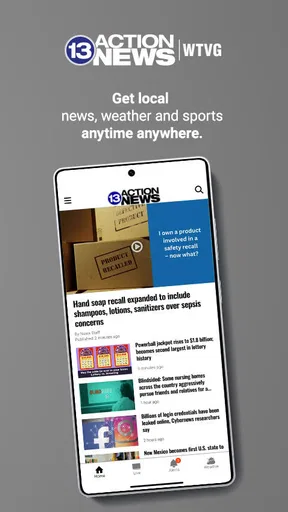
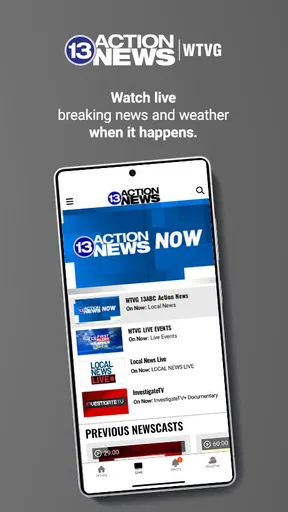

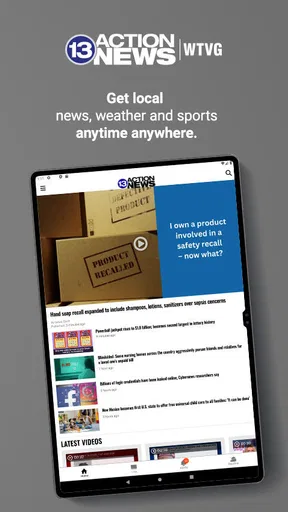
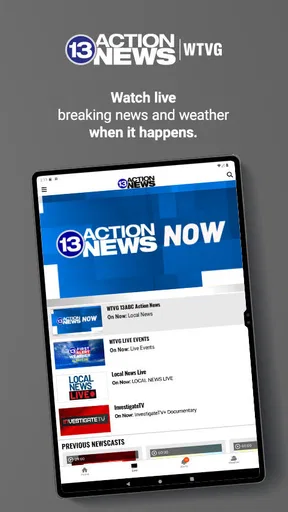

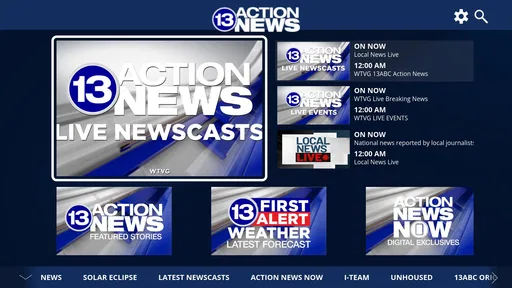
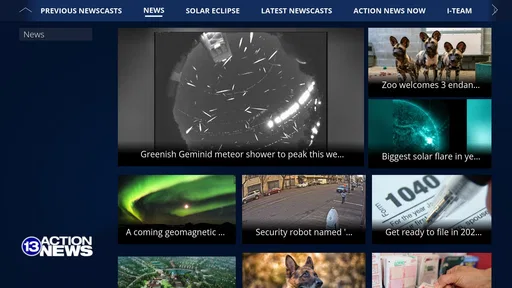
 Analysis by AppCompare
When I want a quick local update rather than a broad national news feed, I look for something that understands the place I am actually in. 13 Action News is built around Toledo, Ohio, combining local news and weather from WTVG in one mobile destination. I found its value less in trying to replace every news source on my phone and more in giving a household a straightforward way to check what is happening nearby.
That local focus matters in everyday situations. A national weather app may tell me that conditions are changing across a large region, while a local news app gives the update a Toledo-centered context. If someone in the house is deciding whether to leave early, checking a developing story, or simply wanting a familiar local newsroom, this app has a clear purpose. It is free, aimed at an Everyone 10+ audience, and comes from Gray Media, so the basic barrier to trying it is low.
How it fits into a shared household routine
I can imagine using this app on a shared tablet in a kitchen or living room, with different people opening it for different reasons. One person might check the forecast before work, another might scan local headlines after school, and someone else might use it during an unfolding event to get information tied to Toledo rather than a distant national perspective. That makes it more useful as a common reference point than as a deeply personalized news system.
The important distinction is that this is a local news and weather tool, not a complete household organizer. I would not expect it to coordinate calendars, assign alerts to individual family members, or act as a private communication channel. Its role is simpler: put local information in front of whoever opens it. For a shared device, that simplicity can be an advantage because nobody has to learn a complicated workflow before finding the main content.
In a realistic morning scenario, I might open the app while breakfast is being prepared, check the local forecast, and glance at the leading Toledo stories. If another person uses the same device later, they can repeat that process without needing my account or preferences. That is convenient, but it also means the experience is best understood as shared access rather than separate personal profiles.
The strongest household use is quick coordination around local conditions. A family deciding when to leave, whether an outdoor plan deserves a second look, or which local story needs attention can use the same source as a starting point. I would still verify important decisions through official emergency or public-service channels when necessary, but the app can help everyone begin with the same local picture.
What the first setup feels like
Because the app has a narrow geographic purpose, the first question is whether Toledo-area information is relevant to you. If you live in the area, work there, study there, or have relatives who depend on local updates, the focus makes sense. If you are far away and only occasionally interested in Toledo, a broader news service may be more practical for daily use.
Worth Reading Before You Choose

EA SPORTS FC Mobile 26 Is a Bigger Football Game, but It Takes Time

Flipboard Shows What News Apps Must Do Beyond the Feed

Switching to Android Auto Means Rethinking Your Driving Routine

Google Calendar Makes a Crowded Week Easier to Manage

Ludo King Makes the Most of the Minutes Between Plans

Baby Panda World Brings Quick Play to Modern Phones, but Its Game Library Feels Busy
On a shared device, I would establish a simple boundary before handing it to other people: this is a public household news screen, not a place for private accounts or personal notes. That expectation prevents confusion about whose reading habits are being represented. The app is easier to share when everyone understands that opening it exposes the same local content to the next person.
I also prefer keeping the app’s purpose visible. If a child or guest sees it on the home screen, the name and local focus make its function fairly clear. There is no need to pretend it is a universal news replacement. Calling it “the Toledo news app” is a more accurate household explanation than promising that it will cover every topic or location equally well.
The age context is worth considering. The listed rating is Everyone 10+, which makes it more suitable for older children and general family use than an app intended only for adults. Still, a rating is not a substitute for a parent’s judgment. Local reporting can involve accidents, crime, severe weather, or other upsetting subjects. I would let younger users browse with an adult nearby if the household is particularly sensitive to breaking-news imagery or difficult stories.
That is also why I would avoid treating the app as an unattended information source for children. The local focus is useful for learning what is happening in the community, but a young reader may need help separating a headline from confirmed guidance or understanding why a story is still developing. The app can support that conversation without replacing it.
Keeping everyone on the same local page
Coordination works best when the app is used as a prompt for conversation. I might read a weather update aloud, mention a local road concern, or point another household member toward a story that affects their plans. This is more reliable than assuming that everyone has seen the same item independently, especially on a shared device where people may open the app at different times.
There is a small but important trade-off here. A shared news app reduces duplication, but it does not automatically deliver the same information to each person at the moment they need it. If someone is away from home, they may not see what was checked on the household tablet. For that reason, I would use the app to support a quick verbal update or message rather than treating it as a complete coordination system.
For a family with mixed interests, the Toledo focus is both helpful and limiting. It keeps the local signal from getting buried under endless national stories, but it may not satisfy someone who mainly wants business, technology, sports from another region, or international coverage. I would pair it with a broader source instead of forcing every household member to use it for everything.
That pairing is one of the most practical ways to use it. The local app can answer “what is happening around Toledo?” while a general news reader handles wider context. A national weather service may also be preferable for travel across several states, while this app is more naturally suited to checking the local angle before leaving home. The best choice depends on whether proximity or breadth matters more in that moment.
Trust, context, and the age question
I appreciate that the app has a recognizable local identity through 13 Action News and WTVG. For many users, a familiar regional newsroom is easier to place than an anonymous stream of headlines. That does not mean every item should be accepted without thought, but it gives the app a clear editorial home and a reason to choose it over a generic aggregator that mixes sources without much local character.
At the same time, I would not confuse familiarity with completeness. A local news app is still one source. During a fast-moving emergency, I would compare its information with official instructions from the relevant authorities. For medical, school, travel, or safety decisions, the app can help me notice an issue, but I would look for the responsible organization’s direct guidance before acting.
This distinction is especially important with children and teenagers. The Everyone 10+ rating suggests a general audience that includes younger users, but local news can change tone quickly. A weather story may be calm and practical one moment, while a breaking report may contain distressing details later. In a household, I would teach younger users to ask an adult when a headline concerns danger, evacuation, health, or personal safety.
Privacy boundaries also matter on shared hardware. I would not use a common tablet for anything that requires another person’s private credentials, and I would make sure family members know that anything displayed on the screen can be seen by the next user. The app works well as a communal information window precisely because it does not need to be treated like a private diary.
For adults, the main trust question is not whether the app belongs in the household, but how much weight to give it. My approach would be to use it for awareness and local orientation, then confirm high-stakes details elsewhere. That is a sensible habit with any news source, and it keeps the convenience of quick updates from becoming overconfidence.
Where it succeeds and where another option wins
The clearest strength is focus. Instead of making me filter through a large national feed to find Toledo, the app starts with the community it serves. That can save time for residents who want local headlines and weather in the same place. It also gives a shared household a common reference that is easier to explain than a collection of unrelated news apps.
The free price helps when several people want access without adding another subscription to the household budget. The app has been available since November 6, 2013, and its audience has grown to over 100 thousand installs. Its average rating is 3.2 from around 1.7 thousand ratings, with over 500 reviews, which tells me that the experience is useful to a meaningful group but not universally satisfying.
I would read that rating as a reason to keep expectations realistic. A focused local app can be valuable even when it is not the most polished or comprehensive news product on every phone. On the other hand, if I wanted a highly customized feed, extensive national coverage, or a single app for many cities, I would probably choose a broader alternative. The local emphasis that makes this app useful is also what narrows its audience.
There is another trade-off between speed and depth. A quick local check is convenient, but people who want long-form analysis, extensive archives, or a carefully organized reading list may prefer a larger news platform. I would use this app for the first look, especially around local weather and developing Toledo stories, rather than expecting it to satisfy every kind of reading habit.
It is also not the right choice for someone whose daily life has little connection to Toledo. A former resident may enjoy occasional updates, but a traveler passing through several regions would likely benefit more from a location-flexible weather tool and a broad news service. Likewise, a user who wants international headlines first may find the local focus too narrow, even though that focus is the app’s main reason for existing.
Small habits that make it more useful
I would open it at natural decision points rather than scrolling continuously. Checking before a commute, before an outdoor appointment, or when a local story is being discussed gives the app a practical job. That approach reduces the temptation to treat every headline as urgent and makes the local coverage easier to fit into a busy household routine.
When several people share the device, I would say the date and situation out loud when passing along information. “This is the Toledo forecast for today” is clearer than simply saying “the weather looks bad,” particularly when plans are being made hours later. That small habit helps prevent an old observation from being mistaken for a current one.
I would also separate discovery from confirmation. The app is useful for discovering that a local issue deserves attention, while official sources are better for final instructions about closures, emergencies, health, or travel. This two-step workflow is one of the safest ways to get value from a local newsroom without asking it to serve as the only authority in the room.
For a family, I would keep the conversation focused on relevance rather than volume. One useful local update can matter more than a long list of headlines. If a child asks about a difficult story, I would explain the basic facts in age-appropriate language and avoid leaving them alone with a rapidly changing breaking-news page. The app can open the discussion, but adults still provide the context.
Another practical tip is to treat it as a complement, not a replacement. I would keep a broader service for national or international coverage and use this one when Toledo-specific information is the priority. That combination avoids the two common mistakes: expecting a local app to cover the entire world, or using a worldwide feed when the only question is what is happening nearby.
My household verdict
After considering how I would actually use it, I see 13 Action News as a sensible free choice for Toledo-area residents who want local news and weather in one familiar place. Its strongest role is shared and practical: a household can open it before the day begins, use it to notice relevant local developments, and discuss what those updates mean for upcoming plans.
I would recommend it to people who value regional coverage more than a massive selection of topics. It is also a reasonable option for a family with older children, provided adults explain that a general-audience rating does not make every breaking story emotionally easy and that important safety guidance should be confirmed through official channels.
I would skip it as my main news app if I lived outside the Toledo area, needed broad multi-city coverage, or wanted deep personalization and long-form reading. In those cases, a wider news or weather service would be a better foundation, with this app added only when its local perspective becomes relevant.
My final view is positive but specific: this is not a universal news solution, and it does not need to be. Its value comes from giving Toledo-focused information a clear place in a shared household routine. If that is the information gap you are trying to fill, the free download and straightforward purpose make it worth trying. If you need breadth, private profiles, or a complete family coordination system, I would choose another tool and keep this one only as a local supplement.
Pros
- Fast access to breaking news and local headlines
- Live newscasts keep you informed during major events
- Weather forecasts include radar and severe weather alerts
- Video reports provide useful context beyond short headlines
- Simple navigation makes sections easy to find
Cons
- Some content may focus heavily on the local viewing area
- Notifications can feel frequent during developing stories
- Video playback may use significant mobile data
- Advertising can interrupt browsing and video viewing
- Certain features may require a stable internet connection
FAQs for 13 Action News
What is 13 Action News?
13 Action News is a local news application designed to keep users informed about breaking news, weather updates, traffic conditions, community stories, and regional events. After exploring the app, its main focus appears to be quick access to current headlines and live coverage from the 13 Action News team, making it useful for people who want local information in one convenient mobile destination.
Is the 13 Action News app free to download and use?
Yes, 13 Action News is generally available to download for free on supported Android and iOS devices. Most of the news content, alerts, videos, and weather information can typically be accessed without paying a subscription. However, users should remember that mobile data charges may apply when streaming videos, loading images, or receiving updates while connected to cellular data instead of Wi-Fi.
What type of content can I find in 13 Action News?
The app usually includes local and national headlines, breaking-news reports, weather forecasts, severe-weather alerts, traffic information, video clips, investigative stories, sports coverage, and community updates. Content availability may vary depending on your location and the station’s coverage area. It is particularly useful for following developing local events rather than relying only on general national news apps.
Does 13 Action News provide weather alerts and live updates?
Yes, weather information is one of the most useful features of 13 Action News. Depending on your location and device permissions, the app can provide forecasts, radar details, severe-weather notifications, and updates during storms or other emergencies. Enabling notifications and location access can improve the relevance of alerts, although users should also follow official emergency services for critical instructions.
Does 13 Action News require location access or notifications?
Location access and notifications are usually optional, but allowing them can make the application more useful. Location permission may help display forecasts, traffic reports, and breaking news relevant to your area, while notifications can deliver urgent headlines and weather warnings. If you prefer greater privacy or fewer interruptions, you can deny these permissions and adjust them later through your phone’s settings.


